Records & Management Log
Build a usable operating history
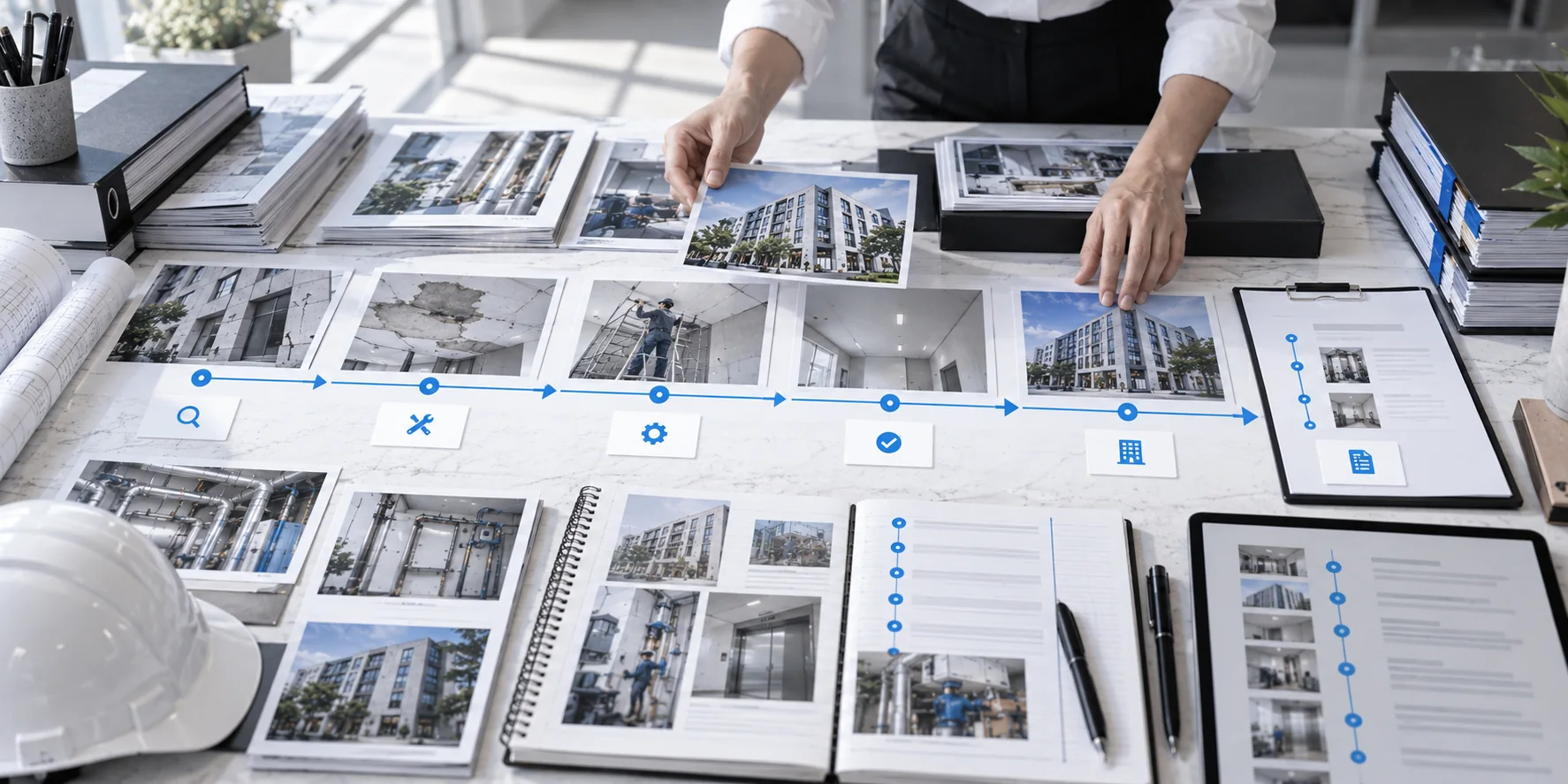
Which records should be connected?
Keep current lease terms connected to their change history.
Store the term, rent, service charges, deposit, special conditions, and change dates together so prior terms are easy to verify at renewal or move-out.
Connect expected amounts with what actually arrived.
Scheduled payment, actual receipt, delays, arrears, and concessions should carry forward the collection history from Rent Income management.
Connect spending to the event that caused it.
Record the date, category, amount, payee, and related facility while leaving the economic evaluation of the expense to Cost management.
Keep failures, repairs, and recurrence in one equipment history.
Link location, symptoms, photos, contractor, work performed, cost, and recurrence while leaving inspection standards to Facility management.
Record important requests, agreements, lease changes, and settlement outcomes.
Connect the request date, agreement, cost responsibility, lease change, and result as one event.
Keep the condition at the time of an incident and the response in chronological order.
The event date, photos, emergency action, contractor, insurance, and final outcome should remain connected.
Manage recurring payments, renewals, and supporting evidence as a separate record stream.
Link payment dates, amounts, documents, renewal dates, and related policies or agreements.
Use supporting files as evidence attached to an event, not as a separate pile.
File name, related event, date, contractor, and amount should make each document traceable.
Keep one connected operating history for the building.
A building record is not complete simply because there are many documents.
Lease, income, cost, facility, tenant, and incident records need to connect on the same timeline before they become useful for management.
Good records do more than preserve the past.
They help identify recurring problems, set the next review date, and support decisions about renewal, repairs, and other follow-up actions.
Record management is the final step that brings together everything created in areas 01–05 as one operating history and prepares that history for later EXIT decisions.
When files exist but the record is still incomplete
Even if photos, receipts, and quotes all exist, they are hard to reuse later when dates and events are not connected.
A note such as “leak repaired” does not preserve the location, cause, cost, or whether the problem returned.
A complete event trail makes the previous history immediately available when the same issue appears again.
Use the same five core fields across every record.
Do not memorize field names as labels.
Understand why each field matters and keep the format consistent.
Date
The anchor that connects events in sequence.
Separating the occurrence, action, and completion dates reveals handling time and recurrence intervals.Cost
Connects spending to the event.
Do not store only the amount.Keep the problem, facility, and contractor connected to the expense.
Photos & Evidence
Preserves what the condition looked like at the time.
Photos, quotes, receipts, and inspection documents should clearly identify the event they support.Outcome
Shows whether the issue is actually closed.
Do not stop at “contractor visited.” Record whether it was resolved, unresolved, or needs another check.
Next Action
Turns a stored record into ongoing management.
A reinspection date, renewal date, or follow-up contact gives the record a clear next step.Connect one event from beginning to end.
An event record starts with occurrence but should not end with the first action.
Cost, final outcome, and follow-up need to remain connected so a future recurrence can be compared.
Aug 12 leak found → 3 photos → contractor inspection → local seal repair → repair cost → leak stopped → recheck after next heavy rain
Review it in this order.
Start with the full flow, then move through the reasons and checks in each step.
Use one record system for each building
When information is scattered across different storage locations, photos, costs, and outcomes from the same event become difficult to reconnect.
Group lease, income, cost, facility, tenant, and incident records by building and standardize category names and date formats.
If you own multiple buildings, separate the top-level folder or data unit for each property first.
Do not use a different naming and date convention for every category.
Use common fields across every record
Records become difficult to search and compare when each type follows a different format.
Use date, cost, photos or evidence, outcome, and next action as shared fields.
Add supporting fields such as location, tenant, or contractor only when needed.
Do not write a long note and omit the result or next action.
Connect each event from start to finish
If the initial issue and the response are stored separately, it becomes difficult to tell whether the problem was actually resolved.
Keep the event date, original condition, evidence, action, cost, result, and follow-up date together.
If the same problem returns, create a new event but link it to the prior one.
Do not store photos, quotes, and receipts separately from the event they belong to.
Summarize recurring operations monthly
Items such as rent collection, arrears, costs, and vacancy repeat every month and are easier to review on a monthly basis.
A monthly log is not a duplicate of every event.
It is a quick summary of normal operating flow and the exceptions that mattered that month.
Do not use the monthly log as a substitute for event records.
Use quarterly records to spot change and recurrence
One month alone is often not enough to tell whether something is random or becoming a trend.
A quarterly review looks for patterns that persist across three months, such as vacancy movement, rising costs, repeated repairs, and tenant changes.
Do not treat one unusual month as a long-term trend.
Connect annual results to the events behind them
An annual record should be more than a totals sheet.
It should connect the events that materially affected operating results during the year.
Summarize total rental income, total operating costs, vacancy duration, major repairs, incidents, and planned work for the coming year.
Do not keep only annual totals while separating the events that explain them.
Record unscheduled events when they happen
Failures, accidents, complaints, and lease changes can lose important context if you wait until the next scheduled log.
Capture the key facts and photos immediately, then continue adding the action, cost, outcome, and follow-up to the same event.
Do not try to reconstruct the event from memory at month-end.
Reuse records for the next decision and EXIT
The purpose of records is not storage itself; it is to make the next decision better.
Repeated late payments can inform renewal decisions, repeat repairs can support replacement review, vacancy history can inform leasing strategy, and major repair history can support a future sale explanation.
This page connects records to other management areas rather than repeating each decision method.
Keep the management log growing inside the record system.
This is not a checklist you complete once.
Monthly, quarterly, annual, and event records should continue as one operating history for the same building.
Periodic logs show the overall flow, while event records preserve failures, incidents, complaints, and lease changes at the moment they happen.
Quickly summarize the recurring operating condition for the month.
It is a monthly overview, not a copy of every detailed event record.
Review three months of change and recurring patterns.
Use it to find trends that persist beyond one-off events.
Connect the year’s operating result with the plan for the next year.
Keep the major events that explain the totals, not just the totals themselves.
Record failures, incidents, complaints, and lease changes when they happen.
Create it immediately, separate from periodic logs, and keep updating it until the outcome is known.
A short note is not the same as a reusable record.
Even for the same event, date, subject, evidence, action, and outcome need to connect before the record can support the next decision.
Leak
Leak repaired
Aug 12, 2026 / south window, level 3 / leak after rain / 3 photos / Contractor A / local seal repair / cost recorded / recheck after September rain
Late payment
Rent was late
May–Jul 2026 / 7–10 days late each month / no unpaid balance / repeated for 3 months / review during August renewal discussion
Lease change
Agreed to adjust rent
Jun 20, 2026 agreement / lower rent from July / applies for 6 months / written confirmation saved / review again in December
Equipment replacement
HVAC replaced
Jul 3, 2026 / level 2 HVAC / replaced after 3 repeat failures / Contractor B / cost recorded / 2-year warranty / next review Jun 2027
This is how to review it in operation.
For each case, connect what to check, how to judge it, and what should be recorded.
A leak repaired two years ago has returned.
If the old record connects the location, photos, contractor, work performed, cost, and recurrence status, you can immediately see what was done last time.
Pull the earlier event, connect the previous action to the current condition, and determine whether this is the same recurring issue.
Event ID / location / photos / contractor / cost / recurrence
You want to use repeated late payments in a renewal decision.
When payment history and tenant events are connected, you can distinguish an isolated delay from a recurring pattern.
Connect monthly payment records with the tenant event history and pass that pattern into the renewal review.
Month / due date / actual payment / days late / discussion outcome
You need to provide documents for an insurance claim.
If photos, actions, contractor details, costs, and outcomes are grouped as one incident, far less time is spent collecting the evidence again.
Review the event as one chain from occurrence through evidence, response, cost, and outcome.
Incident date / photos / quote / receipt / outcome
You are organizing major repairs and operating history before a sale.
When annual logs and event records have accumulated consistently, you do not need to reconstruct years of history at the last minute.
Use the annual summary to select material events and connect them to EXIT documentation.
Annual summary / major events / evidence / sale material
Records created during ownership become sale-support material.
At the sale stage, the useful asset is not “a large number of documents” but a history that explains how the building was operated and how material issues were handled.
When lease changes, vacancy periods, major repairs, incidents, insurance matters, and cost increases are tied to dates and evidence, far less history needs to be reconstructed during sale preparation.
The record system created here becomes the foundation for explaining operating and repair history in the next EXIT stage.
This is an educational building-management guide. For actual lease, tax, legal, regulatory, or facility-safety decisions, confirm the applicable local requirements and consult qualified professionals when needed.
Use tools to organize recurring tasks such as vacancy loss, actual operating return, and lease-expiry planning.
→